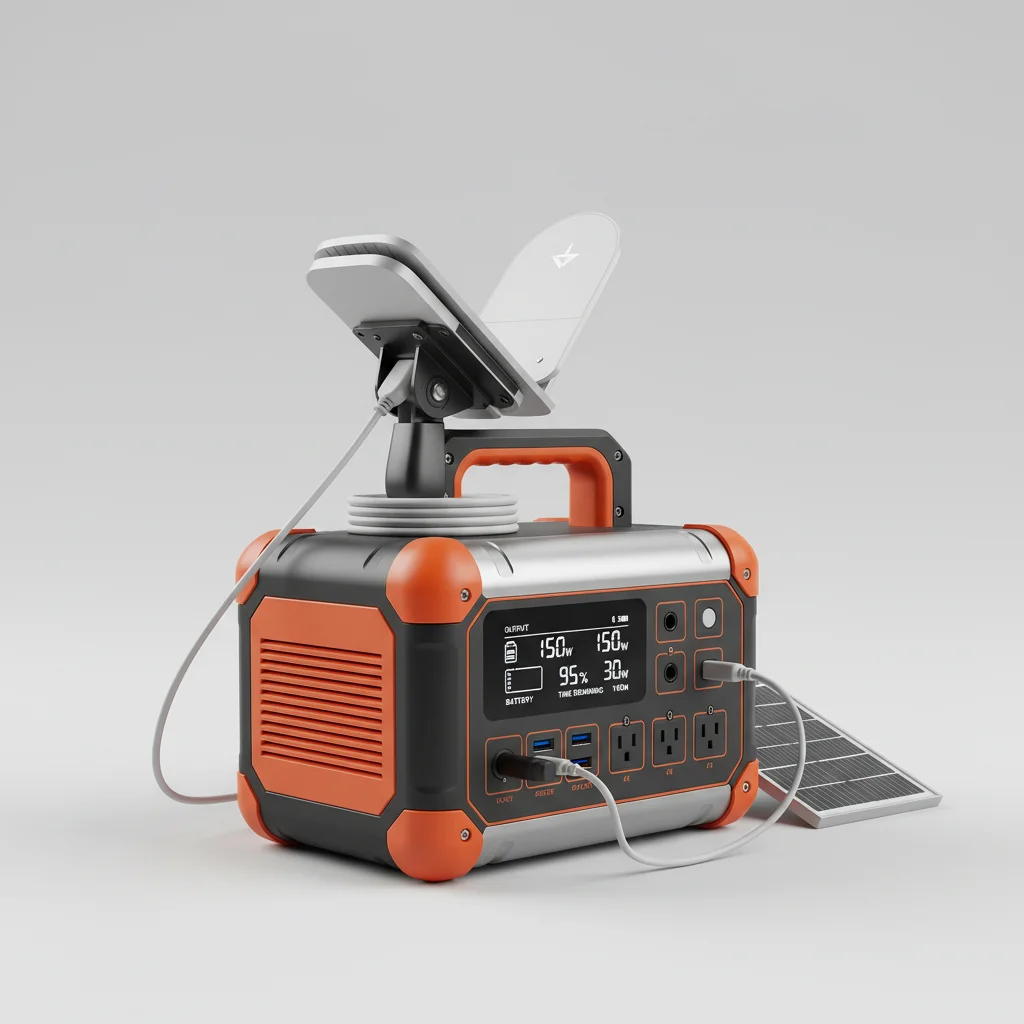
A portable power station can run a Starlink system for approximately 4 to 10 hours, depending on the power station’s capacity and the specific Starlink model’s power consumption. Starlink’s power draw varies, but typically ranges from 50W to 75W for the standard dish, with peak usage during startup or in very cold conditions.
Understanding Starlink’s Power Requirements
Starlink systems, including the dish (Dishy McFlatface) and router, require a continuous power supply to operate. The standard Starlink kit typically consumes between 50 to 75 watts during normal operation. However, during initial boot-up, firmware updates, or in extreme cold where the dish’s self-heating function activates, consumption can temporarily spike to over 150 watts. It’s crucial to consider these peak demands when selecting a portable power station to ensure stable operation.
The newer Starlink V2 (Gen 2) rectangular dish generally has a slightly lower average power draw compared to the original round dish, but both benefit from a power station with sufficient capacity and a pure sine wave inverter to protect sensitive electronics.
Calculating Runtime for Your Power Station
To estimate how long your portable power station will power your Starlink, you’ll need two key pieces of information: the power station’s usable battery capacity (measured in Watt-hours, Wh) and Starlink’s average power consumption (measured in Watts, W). The formula is simple: Usable Wh / Average W = Hours of Runtime. For example, a 500Wh power station powering a Starlink drawing 60W would last approximately 8.3 hours (500 Wh / 60 W = 8.33 hours).
Remember that power stations are not 100% efficient; there’s always some energy loss during conversion. A good rule of thumb is to factor in about 10-20% efficiency loss, meaning a 500Wh power station might only deliver 400-450Wh of usable power. Always check the specifications of both your power station and Starlink for the most accurate figures.
Factors Affecting Starlink Runtime
|
Our Picks for the Best Power Station in 2026
As an Amazon Associate I earn from qualifying purchases.
|
||
| Num | Product | Action |
|---|---|---|
| 1 | Jackery Explorer 2000 v2 Portable Power Station with 2x200W Solar Panels, 2042Wh LiFePo4 Battery, 2200W Solar Generator, 20ms UPS, USB-C PD 100W Fast Charging for Power Outages, Emergencies, Camping |

|
| 2 | 550W Portable Power Inverter Compatible with Dewalt 20V Battery, Power Station DC 20V to AC 110V Pure Sine Wave, Battery Power Adapter 2USB&Type-C, Generator Phone Charger LED Light Camping Emergency |
|
| 3 | Westinghouse 155Wh 150 Peak Watt Portable Power Station & Solar Generator, Modified Sine Wave AC Outlet, Backup Lithium Battery for Camping, Home, Travel, Indoor/Outdoor Use (Solar Panel Not Included) |
|
| 4 | Anker SOLIX C300 Portable Power Station with Car Charging Cable, Outdoor 288Wh LiFePO4 Battery, 300W (600W Surge) Solar Generator, 140W Two-Way Fast Charging, for Camping, Traveling, and Emergencies. |
|
| 5 | 550W Power Station Compatible with Dewalt: LIVOWALNY Portable Generator DC 20V to AC 110-120V, Pure Sine Wave Power Inverter Battery Adapter Phone Charger 2 USB-A & 1 Type-C & 2 AC Outlet (Tool Only) |
|
| 6 | BLUETTI Portable Power Station AC180, 1152Wh LiFePO4 Battery Backup w/ 2 1800W (2700W peak) AC Outlets, 0-80% in 45Min, Solar Generator for Camping, Off-grid, Power Outage |
|
| 7 | Anker SOLIX F3800 Portable Power Station, 3840Wh, LiFePO4 Batteries, Ultra-High 6000W AC Output with 120V/240V, Solar Generator for Home Backup, RVs, Emergencies, Power Outages, and Outdoor Camping |
|
| 8 | Anker SOLIX C1000 Gen 2 Portable Power Station, 2,000W (Peak 3,000W) Solar Generator, Full Charge in 49 Min, 1,024Wh LiFePO4 Battery for Home Backup, Power Outages, and Camping (Optional Solar Panel) |
|
| 9 | UGREEN Power Strip Surge Protector with 4 Power Outlets, 15w Wireless Charger, 20W PD3.0 USB C Fast Charging, 2 USB-C Ports, 2 USB A Ports, Desk Charging Station for Office, Conference, Home Use |
|
| 10 | Anker SOLIX C1000 Portable Power Station, 1800W (Peak 2400W) Solar Generator, Full Charge in 58 Min, 1056wh LiFePO4 Battery for Home Backup, Power Outages, and Outdoor Camping (Optional Solar Panel) |
|
- Power Station Capacity: Larger capacity (Wh) directly translates to longer runtimes.
- Starlink Model: Different Starlink dishes and routers have varying power consumption rates.
- Environmental Conditions: Cold weather activates the dish’s heater, significantly increasing power draw.
- Usage Patterns: Continuous streaming or heavy data usage might slightly increase consumption.
- Power Station Efficiency: Inverter efficiency and battery degradation over time can impact actual output.
Choosing the Right Portable Power Station
When selecting a portable power station for Starlink, prioritize models with a capacity of at least 500Wh for reasonable runtimes, and ideally 1000Wh or more for extended use. A pure sine wave inverter is essential to prevent damage to Starlink’s sensitive electronics. Look for multiple AC outlets and sufficient USB ports for charging other devices simultaneously. Consider models with fast charging capabilities and the option for solar panel input for recharging in off-grid scenarios.
Many users find that power stations in the 1000Wh to 2000Wh range offer the best balance of portability and runtime for Starlink, especially for camping, RVing, or remote work setups. Brands like EcoFlow, Jackery, and Bluetti offer several suitable options with robust features and reliable performance.
Optimizing Power Consumption for Longer Runtimes
To maximize your Starlink’s runtime on a portable power station, consider these tips: disable the dish’s self-heating function if not in freezing temperatures (if your model allows), ensure the dish has a clear line of sight to the sky to avoid excessive searching, and power down the Starlink system when not in use. Using a low-power router or directly connecting devices via Ethernet (if your Starlink model supports it) can also marginally reduce overall power draw.
By understanding Starlink’s power needs and choosing an appropriately sized and featured portable power station, you can enjoy reliable internet connectivity wherever your adventures take you, even far from traditional power sources.

This was super helpful in figuring out what size power station I needed. I was worried about the peak usage during startup, especially with the dish’s self-heating in winter. I ended up getting a 1000Wh unit and it handles the spikes no problem. It’s a bit heavy to move around, but the peace of mind knowing my Starlink won’t cut out is worth it.
Finally, a clear explanation of Starlink’s power draw! I was so confused by all the different wattages. Knowing that the standard dish typically uses 50W-75W helped me choose the right size power station without overspending. My Bluetti EB70S keeps my Starlink running all night, which is essential for my remote work setup. Couldn’t be happier with the performance.
I’ve been using my EcoFlow Delta 2 with my Starlink for a few months now, and it’s a game-changer for my off-grid cabin. I consistently get about 8 hours of run time, which is perfect for my evening work sessions. The ability to power Starlink reliably without a generator running constantly is fantastic. Highly recommend for anyone needing consistent internet in remote areas.
I got a smaller 500W power station, thinking it would be enough for my Starlink V2. While it works for a few hours, I’ve noticed it struggles a bit when the dish is updating or if it’s really cold outside. The battery drains faster than I expected, closer to the 4-hour mark mentioned. Next time, I’ll definitely go for a higher capacity model to handle those 150-watt spikes better.